API Key
Generate Your Own API Key
All users are able to generate an API key for their own accounts via My Profile screen after logging in.
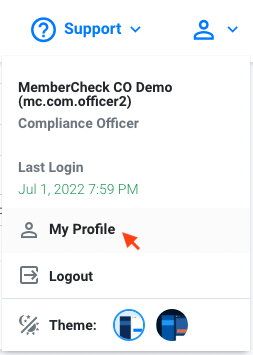
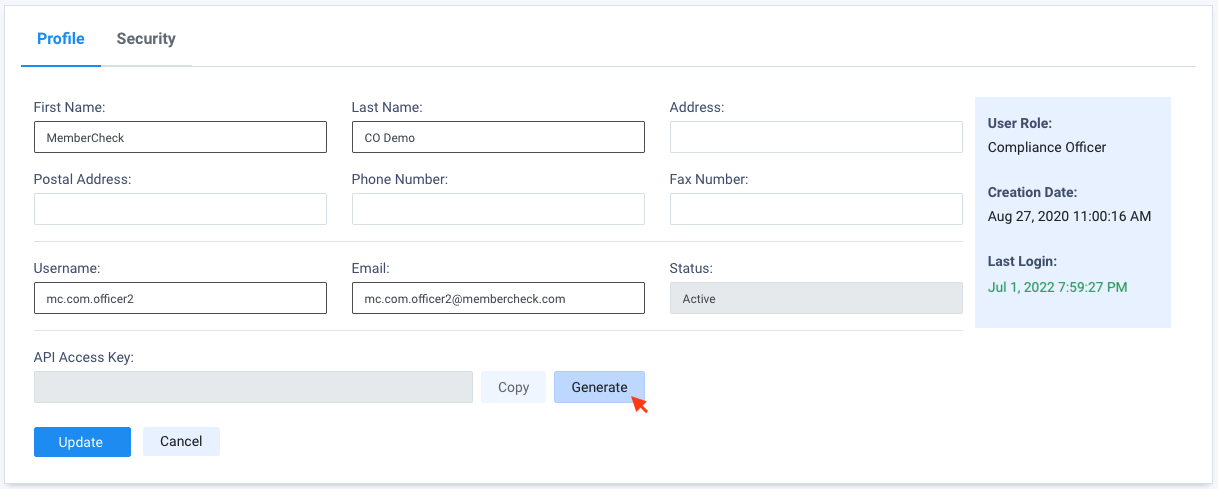
Once your API Access Key has been generated, click on Update to save the changes to your profile.
API Key prefix identifiers
Environment and region-specific prefixes were introduced for API keys in release 10.4.7 to assist with identification. Existing keys without prefixes will continue to work and are not affected.
Generate API Key for another account
A Compliance Officer can generate an API Key for any user account assigned to their organisation or suborganisation.
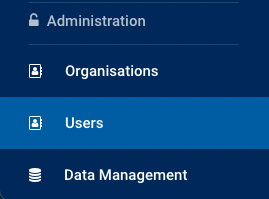
This can be managed through Administration > User.
Once you have selected the required user account to view the profile details, click Generate for API Access Key.
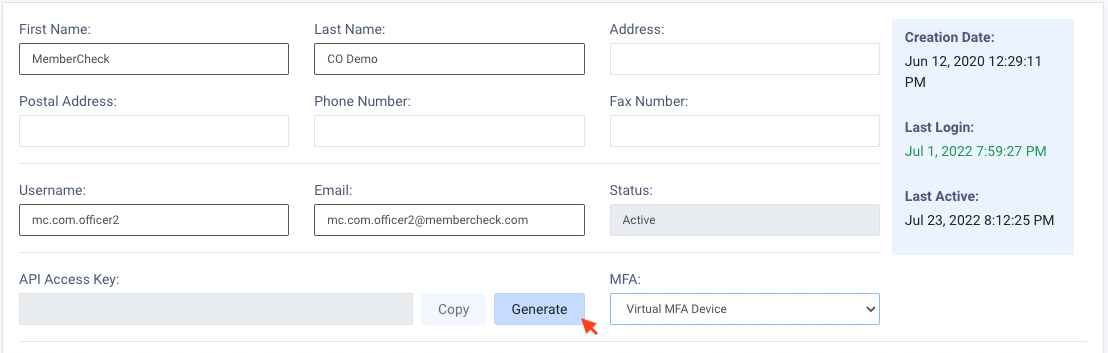
Once your API Access Key has been generated, click on Update to save the changes to your profile.
Dedicated user account for API access
To prevent service disruption once integrated with MemberCheck, we recommend creating a dedicated service account and generating the API key on that account. This ensures API access continues unaffected when team members leave your organisation and their accounts are deactivated.
Important Note
API keys are different for the Demo and Production environments and within different regions. If you have accounts in both environments, please use the environment specific key to ensure your requests are able to be authenticated and authorised.